Pages

31/10/2012

Skype 5.10.0.116 (Offline Installer)


ဒါေလးကေတာ့ ျမန္မာျပည္က မူရင္းဆိုက္ဒ္ကေန ေဒါင္းရတာ အဆင္မေျပဘူးေျပာလာလို႔  Skype Offline Installer ေလး တင္ေပးလိုက္ပါတယ္ ... ခုလက္ရွိ ေနာက္ဆံုး Version ပါ..... အထဲမွာ ပါတဲ႔ Setup.exe ကို Double Click ေပးလိုက္တာနဲ႔ Skype ကို အဆင္ေျပေျပသံုးႏိုင္ပါျပီ....

Title: Skype
Version: 5.10.0.116 - Offline Installer
Release: 17 Juli 2012
Publisher: Skype
Size: 24.46 MB


Smadav 9.1 Pro 2012 Update + Serial

အင္ဒိုနီးရွား ကထုတ္တဲ႔ Antivirus ေလးပါ.... ေပါ့ေပါ့ ပါးပါးနဲ႔ Virus ေတာ္ေတာ္မ်ားမ်ားကို ရွင္းလင္းေပးႏိုင္ပါတယ္... အရင္က တင္ေပးထားတဲ႔ Link အလုပ္ မလုပ္ေတာ့လို႔ အခုေနာက္ဆံုးထြက္ Update Version ေလးကို ျပန္တင္ေပးလိုက္ပါတယ္...။


Serial Key:

    Recomendasi  :  PERSONAL

    USER  : mumu by inovLy
    PASSWORD   : 085700526008

    Recomendasi  : WARNET

    USER  : inovLy.to.warnet
    PASSWORD   : 771277788662

    Recomendasi  : PERUSAHAAN

    USER   : inovLy.to.perusahaan
    PASSWORD   : 778877801094


KP Anti Mosquitoes (ျခင္ ေျပးေစတဲ႔ Software)

 Anti Mosquito ဆုိတဲ့ Software ေလးက ျခင္ နိမ္နင္းေပးတဲ႔ Software ေလးပါ.... ...  ေတာင္းထားလို႔  ျပန္လည္မွ်ေဝေပးလိုက္ပါတယ္..  ျဖစ္ႏိုင္ မျဖစ္ႏိုင္ေတာ့ ကြ်န္ေတာ္လည္း မသိပါဘူး။ ျခင္ေတြေျပးေစေအာင္ လူေတြ မၾကားႏိုင္ေလာက္တဲ႔ အသံ တစ္မ်ိဳးကို ထုတ္လႊတ္ျပီး  ျခင္ နဲ႔ တျခား အင္းဆက္ပိုးေတြ ကို ေမာင္းထုတ္ေပးႏိုင္တယ္လို႔ ဆိုထားပါတယ္...။
 Android ဖုန္းအတြက္ကို  Google Play မွ  တဆင့္ ေဒါင္းယူႏိုင္ပါတယ္ ..။
   
KP Anti Mosquitoes
This program produces sound in the range of 16000Hz to 20000Hz which is beyond the audiable range of humans. Pests and other animals can though hear the very same frequency. This sound produces an undesirable effect on mosquitos and other pests thus restrains them from flying.

I can hardly imagine, how author of this tool and anyone out there could get 16KHz+ out of his speakers, but... Moreover, human ear can hear 40HZ to 20KHZ, mosquitos 18k unto 24k, PC loudspeakers can produce sound upto 17/18k.

Hence, the program will probably kill your acoustic, instead of killing the mosquito arround you.

Besides critical thinking, it was proven that these type of things are not effective.

If you still want to try, you can download this software at
Home: www.allmosquitos.com


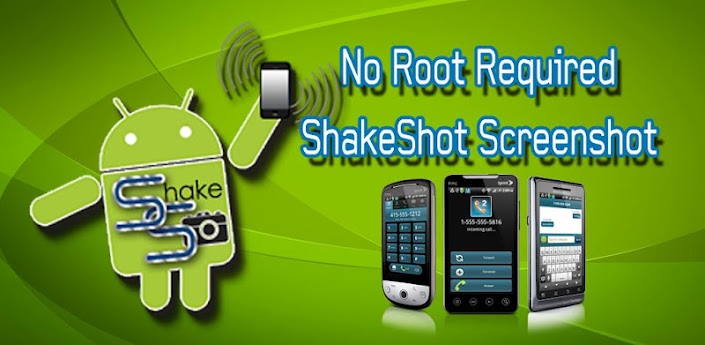
ဖုန္းကိုလႈပ္လုိက္ရံုနဲ႕ Screen Shot လုပ္ႏုိင္တဲ့ application

Screenshot No Root Shakeshot
ဖုန္းကိုလႈပ္လုိက္ရံုနဲ႕ Screen Shot လုပ္ႏုိင္တဲ့ application ေလးပါ။
  install > open > accept > hide
ကိုယ္လုိခ်င္တဲ့ ပံုကို phone screen မွာေပၚေစျပီး ဖုန္းကိုလႈပ္လုိက္ပါ။
FEATURES:
- Easy Shake To Capture
- Crystal Clear Picture Quality
- Easy Cropping Before Saving
- Paint Feature for Pic Editing
- Save As Png or Jpeg
- Clean and Simple Interface
- Easy Enabler/Disabler
- 1 Click Activator for Restarts
- Shake Sensitivity Control
- Perfect for any Android Phone
- Works with any Unrooted Android
 Once you will install the app on your phone, in most cases you will find the option to “Shake and Capture” to get the screenshot of the device screen. In this case, you just need to initiate the app for one time and keep that running in background. After that, when you will shake your phone, it will take a screenshot of the device’s current open screen and save that on SD card in Gallery. You can browse the snap and then share that from there.
If you are not comfortable with “Shake and Capture”, you may choose other options from app settings page on your phone.

ဖုန္း အမ်ိဳးအစားေတြမ်ားတာေၾကာင့္ အားလံုးအဆင္ေျပေအာင္ ေနာက္ထပ္ ႏွစ္မ်ိဳးပါတြဲတင္ေပးလိုက္ပါတယ္...။
(or)

Shortcut Virus Remover


ဒီ Shortcut Virus Remover ေဆာ့၀ဲဟာ အေတာ္ေလးအသံုးတည့္ပါတယ္။ မိမိ Enternal HDD, UBD Pen Drive တို႔ကို Shortcut Virus ၀င္ေရာက္သြားျပီးဆိုရင္ ၎တို႔မွာ ရွိတဲ့ဖိုလ္ဒါမွန္သမွ် Shortcut ေတြျဖစ္သြားျပီး အဲဒီ Enternal HDD, USB Pen Drive တို႔မွာ ဖိုလ္ဒါေတြရွိရင္လဲ ျမင္ရေတာ့မွာမဟုတ္ပါဘူး။ အဲဒီျပႆနာကိုေျဖရွင္းနိုင္ဖို႔ ဒီေဆာ့၀ဲေလးကိုအ အသံုးျပဳလိုက္ရင္ အဆင္ေျပမွာပါ။ Shortcut Virus Remover V3 နဲ႔ V2 (Beta) ႏွစ္ခုစလံုးတင္ေပးလိုက္တယ္။ ၾကိဳက္ တာေဒါင္းေပါ့ဗ်ာ။ V3 ကေတာ့ ပုိေကာင္းတာေပါ့ေလ။ ေဆာ့၀ဲက Portable လဲျဖစ္တယ္။ ေဆာ့၀ဲကအသံုးျပဳရတာလြယ္ ပါတယ္။ ကဲ ေအာက္ပါေဒါင္းဗ်ာ...


Online ကေန File,Software ေတြကို လြယ္ကူျမန္ဆန္စြာ Share ရေအာင္ဗ်ာ

အရင္က တျခား Website တစ္ခုနဲ႔ ဖိုင္ေတြ Software ေတြ Share နည္းတစ္ခုကို တင္ေပးခဲ့ဖူးပါတယ္.. ဒီေန႔က သူငယ္ခ်င္းတစ္ေယာက္က အြန္လိုင္းကေန File ေတြ ဘယ္လို Share ရမလဲဆိုျပီးေမးလားတာနဲ႔ ရွာေဖြေမႊေႏွာက္ရင္း ေနာက္ထပ္ လြယ္ကူျမန္ဆန္တဲ႔ Website ေလးတစ္ခု ေတြ႕တာနဲ႔ စမ္းၾကည့္လိုက္ေတာ့ ေတာ္ေတာ္ေလး အဆင္ေျပတာေတြ႕ရလို႔ ျပန္လည္မွ်ေဝေပးလိုက္ပါတယ္ .. မိမိ ပို႔တဲ႔ ဖိုင္လ္ေတြ ,Software ေတြ လံုျခံဳဖို႔ အတြက္လည္း Password ပါ ခံျပီး ပို႔လို႔ရပါတယ္...။

Window 7 မွာပါတဲ႔ File Share နည္းထက္ ပိုမို လြယ္ကူျမန္ဆန္တာေၾကာင့္ ဒီနည္းေလးကိုပဲ မွ်ေဝေပးလိုက္ပါတယ္.....

Browse ကတဆင့္ မိမိပို႔ခ်င္တဲ႔ (Share ခ်င္တဲ႔ ) File,Software ကိုေရြးေပးလိုက္ပါ ....

   စကၠန္႔ပိုင္းအတြင္းမွာပဲ မွ်ားျပထားတဲ႔ Link တစ္ခုထုတ္ေပးပါလိမ့္မယ္... လံုျခံဳဖို႔အတြက္ Password ေပးခ်င္ရင္ေတာ့ ေအာက္က အကြက္ေလးထဲမွာ အဆင္ေျပသလို ထည့္ေပးႏိုင္ပါတယ္...
ျပီးရင္ အဲ့ဒီ Link ကို Copy ကူးျပီး Gtalk ကေနျဖစ္ျဖစ္ တေနရာရာကေန လက္ခံမဲ့သူဆီကို ပို႔လိုက္ပါ...  Password ေပးထားရင္ Password နဲ႔အတူေပါ့ဗ်ာ...

 လက္ခံမဲ့လူဆီ Link ေလးေရာက္လာရင္ Dobule Click ႏွိပ္၍ျဖစ္ေစ , Copy ကူးျပီး  Browser ရဲ႕ Address Bar မွာ Paste > Enter ေခါက္၍ျဖစ္ေစ .... 


Download ကို ႏွိပ္ျပီး အလြယ္တကူ လက္ခံရယူႏိုင္ပါျပီ (Password ေပးထားရင္ Password ထည့္ေပးရမွာပါ).. လြယ္ကူ ရိုးရွင္းတဲ႔ အျပင္ အရမ္းလည္းျမန္ပါတယ္...။
အားလံုး စမ္းသပ္ရင္း ေပ်ာ္ရႊင္ၾကလိမ့္မယ္လို႔ ေမွ်ာ္လင့္ပါတယ္ခင္မ်ာ....
 မူရင္း........
ဝင္းကမာၻေက်ာ္

07/10/2012

G-Mail အေကာင့္လြယ္လြယ္ ေဖာက္ရေအာင္

ကၽြန္ေတာ္ကို ေမးတဲ့အကို ေတြလည္းရွိပါတယ္ .. ကၽြန္ေတာ္လည္း ျပန္မေျဖျဖစ္ဘူး ျဖစ္ေနလို႔ အခုနည္းလမ္း ေလးကို ညီေလးတစ္ေယာက္က ေျပာလို႔ စမ္းၾကည့္လိုက္တာ အဆင္ေျပတာနဲ႕ ျပန္တင္ေပး လိုက္ပါတယ္ .. ကၽြန္ေတာ္တို႔ အခုေနာက္ပိုင္း G-Mail အေကာင့္ေဖာက္ ခ်င္တယ္ဆိုရင္ အရင္တုန္းကလို လြယ္လြယ္ကူကူ ေဖာက္လို႔မရေတာ့ ပါဘူး .. အေကာင့္ တစ္ခုေဖာက္ခ်င္ျပီ ဆိုရင္ Security ပိုင္းအရ ပိုျပီးလံုျခံဳမွဳရွိလာေအာင္ Verification လုပ္ေပးျပီး ကုဒ္ ထည့္ေပးမွ အေကာင့္အသစ္ တစ္ခုကို ေဖာက္လို႔ရမွာျဖစ္ပါတယ္..အခုနည္းလမ္းေလးကေတာ့ မိမိတို႔ကေဖာင္ခ်င္တဲ့ အေကာင့္တစ္ခုကို မိမိတို႔အေကာင့္မွာ ျပန္ျပီး Invite လုပ္ေပးရပါမယ္  . . အဲ့ဒီအခါမွာ G-Mail Service ကေနျပီးေတာ့ အခု Invite လုပ္တဲ့အေကာင့္ဟာ သူတို႔ဆီမွာမရွိေၾကာင္း Mail တစ္ေစာင့္ ျပန္ပို႔ပါလိ္မ့္မယ္ .. ျပီးရင္ အဲ့ဒီမွာ Mail ထဲမွာတင္ အေကာင့္အသစ္ေဖာက္ဖို႔အတြက္ Sing in Link ပါတစ္ခါထဲ ေပးလိုက္ပါမယ္ .. ကၽြန္ေတာ္တို႔က အဲ့ဒီလင့္ကေနျပီး အေကာင့္ ေဖာက္ေပးရမွာ ျဖစ္ပါတယ္ .. ကၽြန္ေတာ္ အဆင္ေျပေျပနဲ႔ လုပ္တက္သြားေအာင္ ေအာက္မွာ ပံုေလးေတြနဲ႔ ရွင္းျပေပးထားပါတယ္ .. 


အရင္ဆံုး မိမိတို႔ရဲ႕ G-Mail မွာ အေကာင့္တစ္ခုကိုအပ္ေပးလိုက္ပါ .. အဲ့ဒီအေကာင့္က သူမ်ားေဖာက္ျပီးသား မျဖစ္ဖို႔လိုပါတယ္ .. အဲ့ဒီေတာ့ ဘယ္လိုအေကာင့္မ်ိဳးကိုအပ္မလည္းဆိုေတာ့ ဥပမာ .. nnnaymin , naymmmin , naayminmaung , naymiinmaung  တို႔လိုပံုစံမ်ိဳးနဲ႔ Invite လုပ္ေပးလိုက္ပါ .. နာမည္ေတြကိုေပါင္းတဲ့ အခါမွာစာလံုးတစ္လံုးထဲကို ႏွစ္ခါေရးတဲ့ပံုစံျဖစ္ပါတယ္ .. ကၽြန္ေတာ္ေအာက္မွာ   ပံုလးေတြနဲ႔လည္း ျပေပးထားပါတယ္ ..


အရင္ဆံုး မိမိတို႔ရဲ႕ G-Mail ကိုဖြင့္လိုက္ပါ .. ျပီးရင္ Invite a Friend ကေနျပီးေတာ့ ကၽြန္ေတာ္အေပၚမွာ နမူနာ ျပခဲ့တဲ့ ပံုစံမ်ိဳးနဲ႔ အေကာင့္တစ္ခုအပ္ေပးလိုက္ပါ .. ျပီးရင္ Send Invite ေပးလိုက္ပါ ..
ေအာက္ကပံုအတိုင္း ေမးလ္၀င္လာပါလိမ့္မယ္ .. ေမးလ္ကိုဖြင့္ၾကည့္လိုက္ပါ ..
ေမးလ္ကိုဖြင့္ျပီးျပီ ဆိုရင္ေတာ့ မိမိထံ၀င္လာတဲ့ ေမးလ္ရဲ႕ ေအာက္ဆံုးမွာ ေအာက္ကပံုမွာ ျပထားသလို Sign up လုပ္ဖို႔ လင့္ေလးေပးထား ပါလိမ့္မယ္ .. အဲ့ဒီလင့္ေလးကို Copy ကူးလိုက္ပါ .. ျပီးရင္ Internet Explorer ကေန အေကာင့္အသစ္တစ္ခု ေဖာက္ေပးရပါျဖစ္ပါတယ္ .. 


အေပၚကပံုအတိုင္း Sing up Link ေလးကို Copy ကူးျပီးျပီဆိုရင္ေတာ့ Internet Explorer ကိုဖြင့္လိုက္ပါ .. ျပီးရင္ Copy ေပးထားတဲ့လင့္ေလးကို Internet Explorer မွာဖြင့္ျပီး အေကာင့္တစ္ခု ေဖာက္လိုက္ယံုပါပဲ ..

ဒီေနရာမွာ တစ္ခုသတိထားရမွၾက Re-enter password ရိုက္ျပီးသြားရင္ ေအာက္က Stay signed in နဲ႔  Enable Web History တို႔မွာ အမွန္ျခစ္ေလးေတြကို ျဖဳတ္ေပးဖို႔ လိုပါလိမ့္မယ္ .. .


အားလံုးပဲ ဒီေလာက္ဆိုရင္ေတာ့ G-Mail အေကာင့္တစ္ခုကို Verification လုပ္စရာမလိုပဲ ေဖာက္လို႔ ရသြားပါ လိမ့္မယ္ ..